
New AI Workflow Builder
Automate the busywork.
Grow your business.
Connect your leads, appointments, customers, and everyday tools so repetitive work happens automatically.
 No commitment required
- Be first to know when access opens

Trusted by teams that have better things to do.





The Problem
Your team wasn’t hired to chase repetitive tasks.
TaskCurrent handles the routine work so your team can focus on customers.
Lead follow-up
TaskCurrent automates the repetitive work that your team shouldn’t be doing.
Scheduling
Back-and-forth emails to book, confirm, and reschedule every appointment.
Customer onboarding
Welcome emails, forms, and reminders sent by hand for every new customer.
Team handoffs
Details get lost as work moves between sales, operations, and service.
How Taskcurrent Works
From lead to follow-up without lifting a finger.
Capture every opportunity, automate the work in between, and see exactly what’s driving results.
01 · Capture
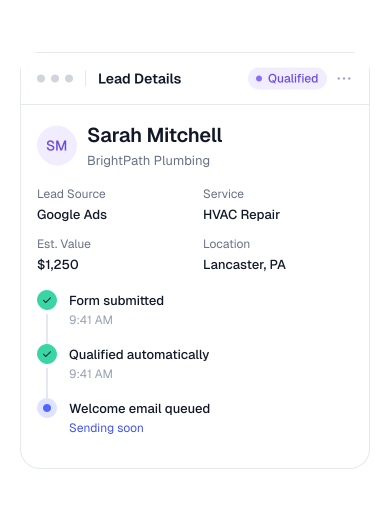
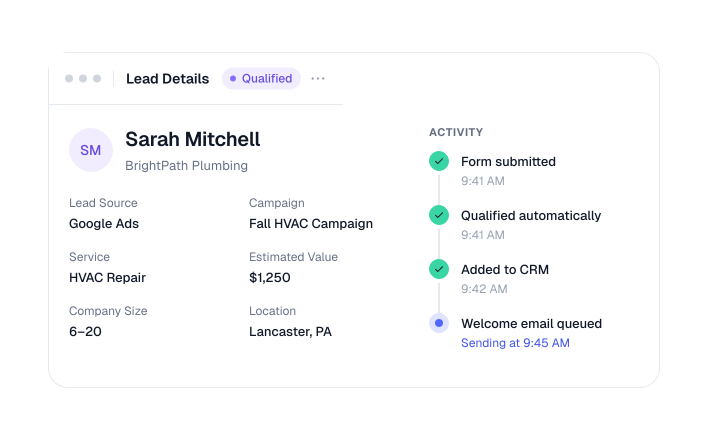
Every lead starts the right workflow.
Capture inquiries from your website, forms, campaigns, and CRM. TaskCurrent turns each lead into structured data and routes it into the right workflow automatically.
- Capture source and campaign details
- Qualify leads with custom rules
- Route leads by service, value, or location

02 · Automate
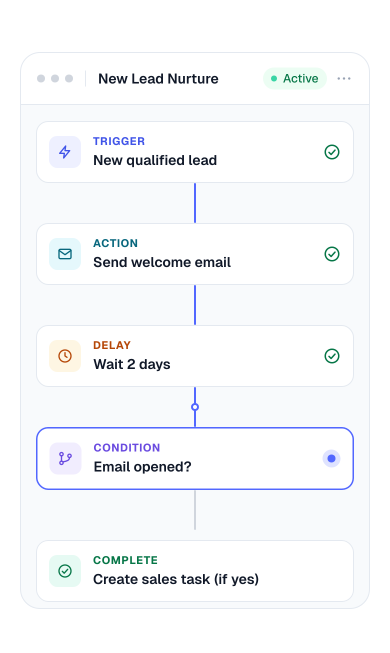
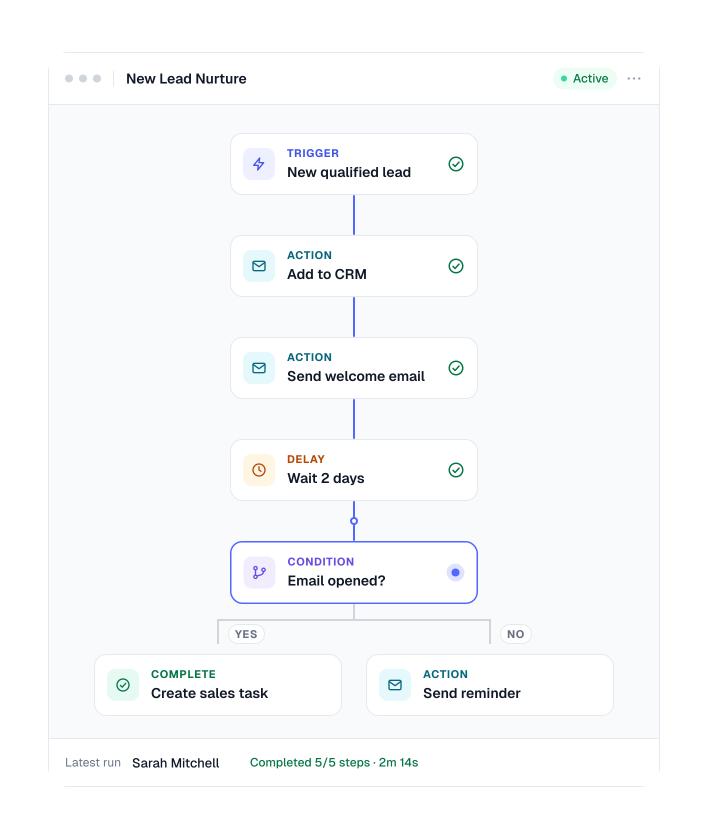
Build workflows that keep moving when your team gets busy.
Create multi-step workflows that react to lead behavior, customer status, timing, or custom conditions—without writing code.
- Trigger actions from customer events
- Add conditions and delays
- Connect email, CRM, tasks, and notifications
03 · Improve
Analyze performance and optimize your workflows.
Get insights into how your workflows are performing, identify bottlenecks, and make data-driven decisions to improve efficiency.
- Monitor workflow performance
- Identify bottlenecks and inefficiencies
- Make data-driven improvements
Visual Workflow Builder
Powerful automation without complicated setup.
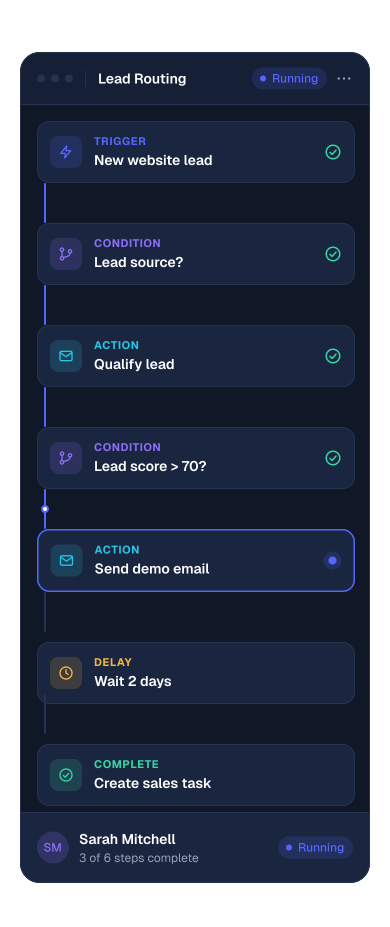
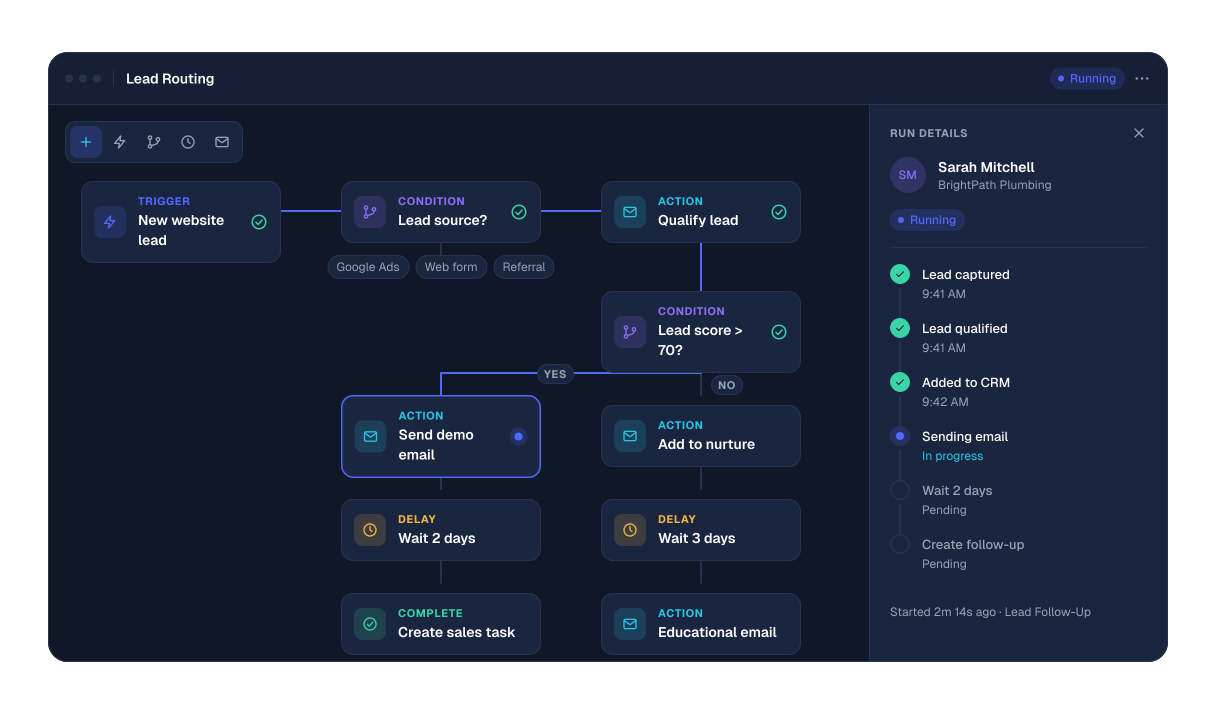
Build workflows with triggers, conditions, delays, and actions—all in one visual canvas.

Logic without code
Branch on any field, add delays, and set conditions in plain language.

Connect your stack
Trigger and act across your CRM, inbox, calendar, and payments.

See every execution
Inspect each run step by step, with timing and status for every action.
Integrations
Works with the tools you already use.
Connect your CRM, inbox, calendar, payments, and communication tools to build workflows that span your entire business.
G
Gmail
C
Calendar
H
HubSpot
S
SalesForce
S
Slack
M
MailChimp
S
Stripe
Z
Zapier
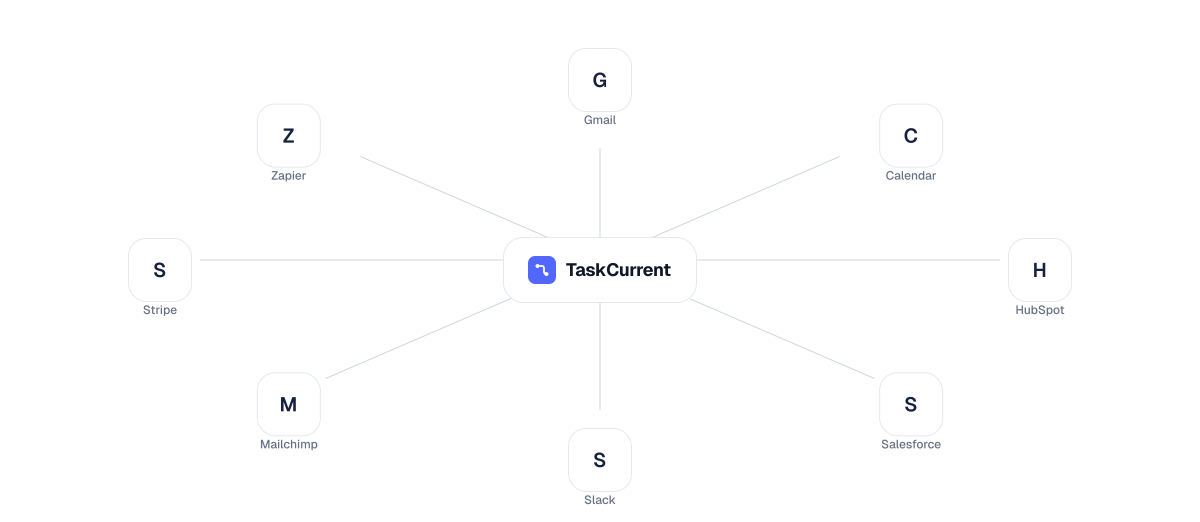
Integrations shown are illustrative concepts and do not imply partnership or endorsement.
BuiLt For Real Work
Everything you need to automate the work around your work.
Build, monitor, and improve workflows from one simple workspace.
Visual Workflow Builder
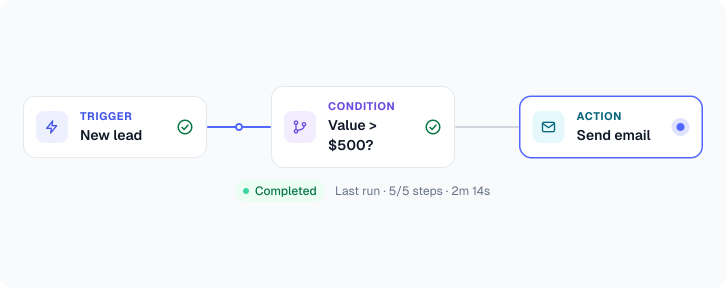
Drag triggers, conditions, delays, and actions onto one canvas. No code required.
AI Message Assistant
Draft personal follow-ups in your team’s voice, then review before sending.
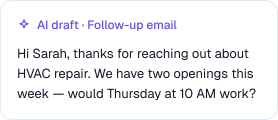
Shorter
Friendlier
Add booking link
Every draft is reviewed before it sends.
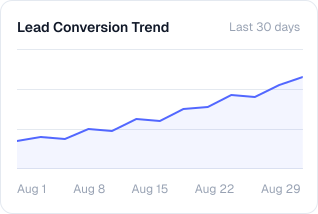
Analytics
See conversion, response time, and workflow performance at a glance.
Smart Reminders
Nudge customers and teammates at exactly the right moment.

Follow up with Sarah Mitchell
Tomorrow · 9:00 AM Pending
Confirm appointment
· Oak & Stone
PendingInvoice reminder · PeakPoint
Sent yesterday Completed
CRM Integrations
Keep contacts, deals, and activity in sync automatically.
H
HubSpot
S
SalesForce
M
MailChimp
 Two-way sync every 5 minutes
Pricing
Simple plans that grow with your business.
Start small and add more automation as your team grows.
Starter
For owners automating their first workflows.
$29 /month
Get Early AccessWhat's included
- 1,000 automation runs
- 3 active workflows
- Email automation
- Basic analytics
- Community support
Growth
 Most Popular
For growing teams automating across the business.
$79 /month
Get Early AccessWhat's included
- 10,000 automation runs
- Unlimited workflows
- CRM integrations
- Advanced analytics
- AI message assistant
- Priority support
Pro
For operations teams running automation at scale.
$149 /month
Get Early AccessWhat's included
- 50,000 automation runs
- Advanced integrations
- Team permissions
- Custom reporting
- Priority automation
- Premium support
FAQ
Questions before you automate?
Everything you need to know about getting started. Still curious? Book a demo and we’ll walk you through it.
Get Started
Put your busywork on autopilot.
Build your first workflow in minutes and spend more time on the work that grows your business.
- No commitment required
- Be first to know when access opens